Saturday morning, coffee in hand, and the first thing we pull up is the network dashboard. Most mornings it looks like this: every site green, 100% uptime and firmware up to date across the board. It's a good day when the networks are up and running smooth.
Client names and IP addresses have been changed for privacy.
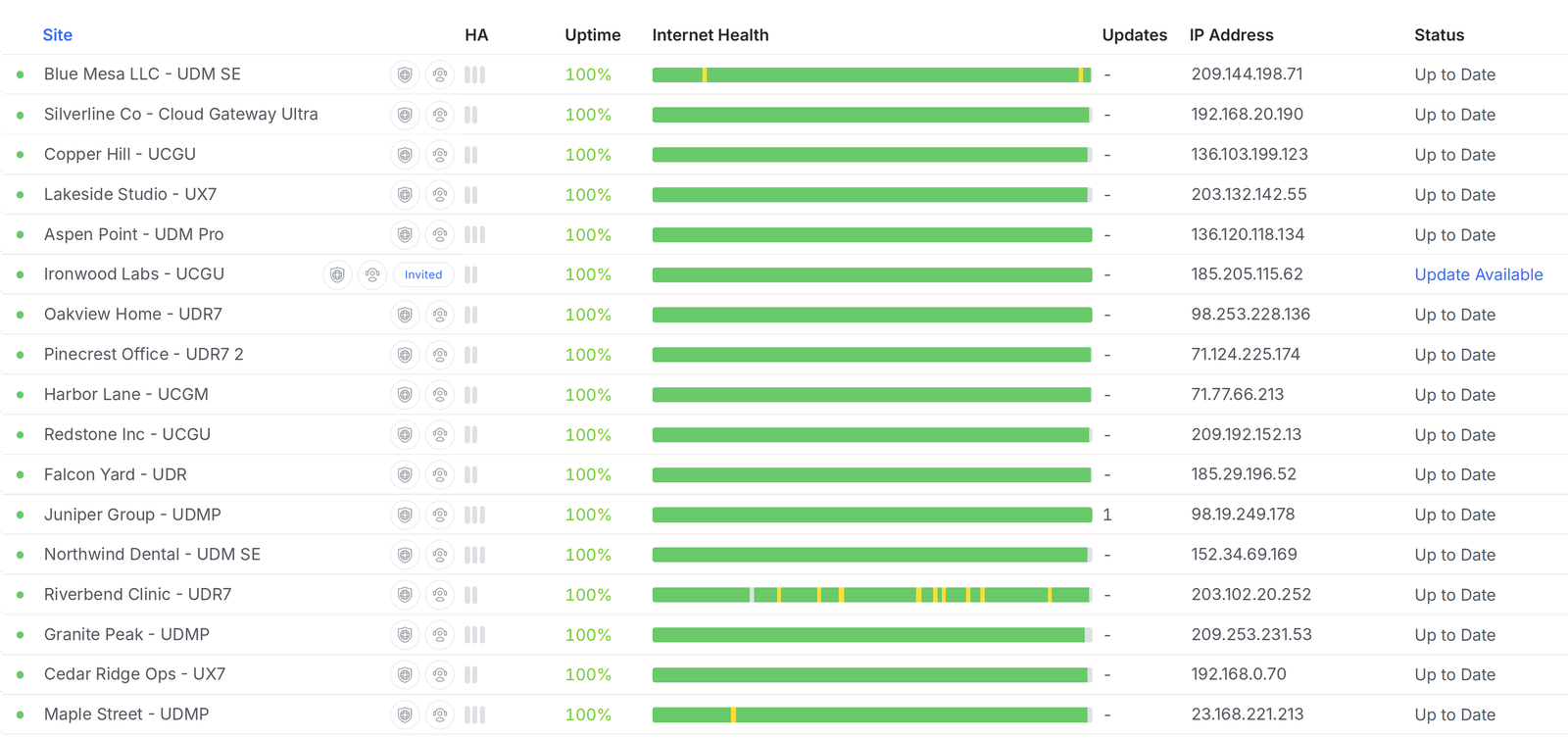
What a good morning looks like
We manage 17 client networks, from small offices and clinics to homes and job sites. Each one reports back to a single dashboard, so in one glance we can see:
- Uptime: is the site online, and has it stayed online?
- Internet health: a timeline of the connection. Solid green is good; yellow and red mean slowdowns or drops.
- Updates: is the gateway running current firmware?
When everything is green, our clients never think about their network. That's exactly how it should be.
And then, a few minutes later…
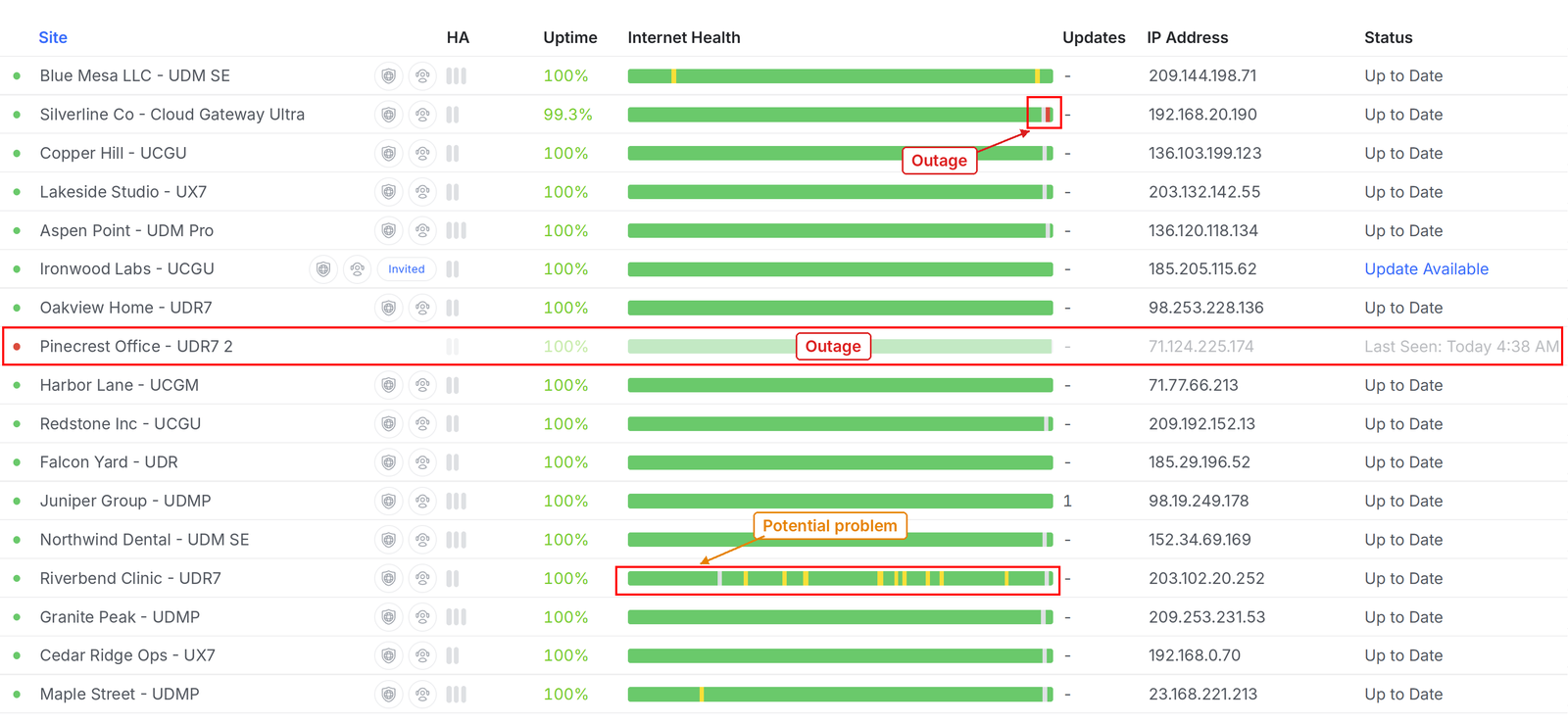
Networks don't always stay quiet. Checking back a little later, three things stood out:
- Outage: Silverline Co. A short drop at the end of the internet health bar knocked uptime down to 99.3%. Blink and you'd miss it, but we didn't.
- Outage: Pinecrest Office. This gateway went offline at 4:38 AM. The dashboard greys out the whole row and shows when it was last seen.
- Potential problem: Riverbend Clinic. The site is up, but the internet health bar is dotted with yellow. That pattern usually points to an unstable ISP connection, and it's worth watching before it turns into a real outage.
Why monitoring matters
Without monitoring, a 4:38 AM outage on a Saturday usually gets discovered when the first person shows up to work on Monday and nothing connects. By then the morning is already off to a rough start for the 30 person office. IT Support is called but now it's an emergency 911 call, and it takes 3 more hours to resolve and stabilize after the problem is resolved.
With monitoring, we see it first. We got notified and checked. That gives us time to dig in: check the equipment, power-cycle remotely when we can, and get the internet provider involved when the problem is on their end. Many times the issue is handled before anyone on site knows it happened.
The yellow blips matter too. Spotting a flaky connection early lets us gather evidence, open a ticket with the ISP and fix the cause before it costs many days of frustrating work for the team, wondering why calls dropped, printing won't work, email wouldn't open, sites wouldn't load and other random computer problems with "google". (It's obviously Google's fault, right?)
Is your network keeping you guessing?
If your Wi-Fi drops at the worst times, or you only find out about outages when someone complains, we'd love to help. 208 Pro Tech manages and monitors business and home networks so you can stop thinking about them. Learn more about our networks, Wi-Fi and internet services, remote monitoring and managed IT.
Reach out today and let's make every day a good network day.