
Data Backup and Recovery Services
Is your data protected from ransomware, hackers, viruses and hardware failure? We make sure it is, then prove it.

Backup That Gets Tested
We set up and manage backups for computers, servers, cloud services, and all key business data. A good backup follows a simple rule: keep at least three copies, on two kinds of storage, with one copy stored away from your building. We also test that files actually restore, because an untested backup is only a hope.
Data Recovery
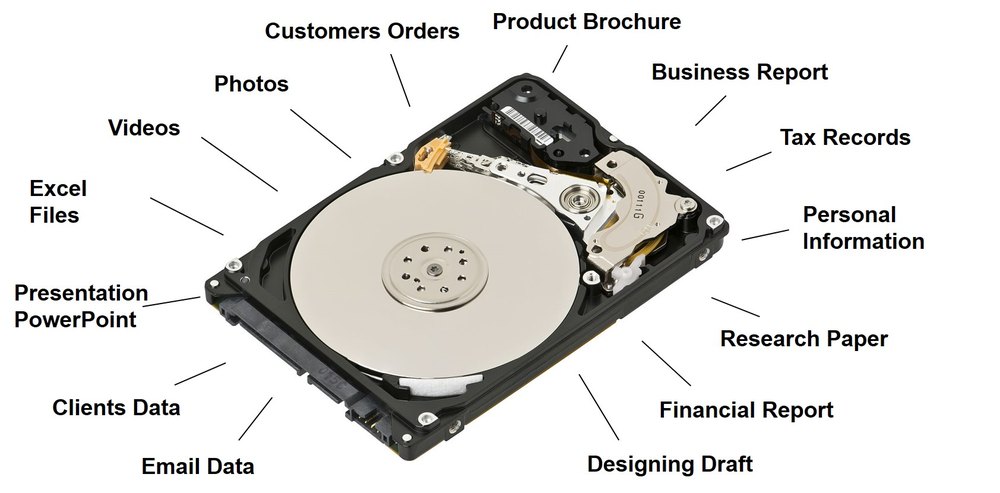
If a drive fails or files vanish, call us before you try anything that might make it worse. We will assess the situation and tell you honestly what can be recovered, what it will take, and what it will cost, before any work begins.
What We Can Help With
- Failing or failed drives: hard drives and solid state drives in computers, laptops and servers, including clicking, slow or undetected drives.
- Deleted or lost files: accidental deletion, emptied recycle bins, overwritten documents and missing folders.
- Corrupted systems: computers that will not start, damaged file systems and data that no longer opens.
- Ransomware and malware: restoring from clean backups, and cleaning the system so the problem does not return.
- External drives and storage: USB drives, memory cards, network storage and server disk arrays.
- Cloud and email: recovering deleted items, files and mailboxes where the service still retains them.
If You Think You Have Lost Data
- Stop using the device. Every new file written can overwrite what you are trying to save.
- Do not run repair tools, reinstall Windows or keep restarting a drive that is making noise.
- If a drive is clicking, grinding or very hot, shut it down and unplug it.
- Call us at (208) 960-0027. We can often start with a quick remote look and tell you the safest next step.
How Recovery Works
- Assess: we check the device, find the cause and tell you honestly what is likely to be recoverable.
- Protect: where possible we work from a copy, so your original drive is not put at further risk.
- Recover: we retrieve your files, check that they open, and organize them for you.
- Safeguard: we move your recovered data to a new location and set up backups, so the same loss cannot happen twice.
No one can promise that every file can be recovered, especially after physical damage or heavy overwriting. If a drive needs specialized lab work, we will tell you up front and explain your options before anything is done.
Migrations, Consolidation and Integration
- Migrations: moving data to a new computer, server or cloud service with minimal disruption.
- Consolidation: bringing scattered files, drives and accounts into one organized place.
- Integration: connecting your systems so information flows where your team needs it.
Why It Matters
Ransomware, accidental deletion, theft and failing hardware all end the same way without a recent, working backup. A short review now is far cheaper than a lost week later.
Less Downtime, Smaller Impact
Most breached organizations that reported recovery needed more than 100 days (IBM, 2025), and ransomware appears in 88% of small and medium business breaches (Verizon DBIR, 2025).
With 208 Pro Tech, backups are monitored and tested, so when a drive fails or ransomware hits you restore quickly instead of rebuilding. That lowers the impact of an outage from days to hours.
Sources: ITIC 2024 Hourly Cost of Downtime Survey (mid-size and large enterprises; over 1,000 firms polled); Verizon 2025 Data Breach Investigations Report, SMB snapshot; IBM Cost of a Data Breach Report 2025.